



Liderlik Tablosu
-
okan ali
Üye11Puan2.097Toplam İleti -
Göksel Yaman
Üye10Puan528Toplam İleti -
Bekir B.
Üye10Puan17.781Toplam İleti -
Cem Boneval
Blogger9Puan16.839Toplam İleti




Popüler İçerikler
30-11-2017 tarihinde, İletiler içinde en yüksek itibara sahip içerik gösteriliyor
-
Param var, harcayayim istiyorsun. Fakat kemik gibi duruyor araba iste. Guzel bakimini yaptir, icini disini temizlet cilalat kiyir kiyir bin, ugrasma naylon islerle.3 puan
-
2 puan
-
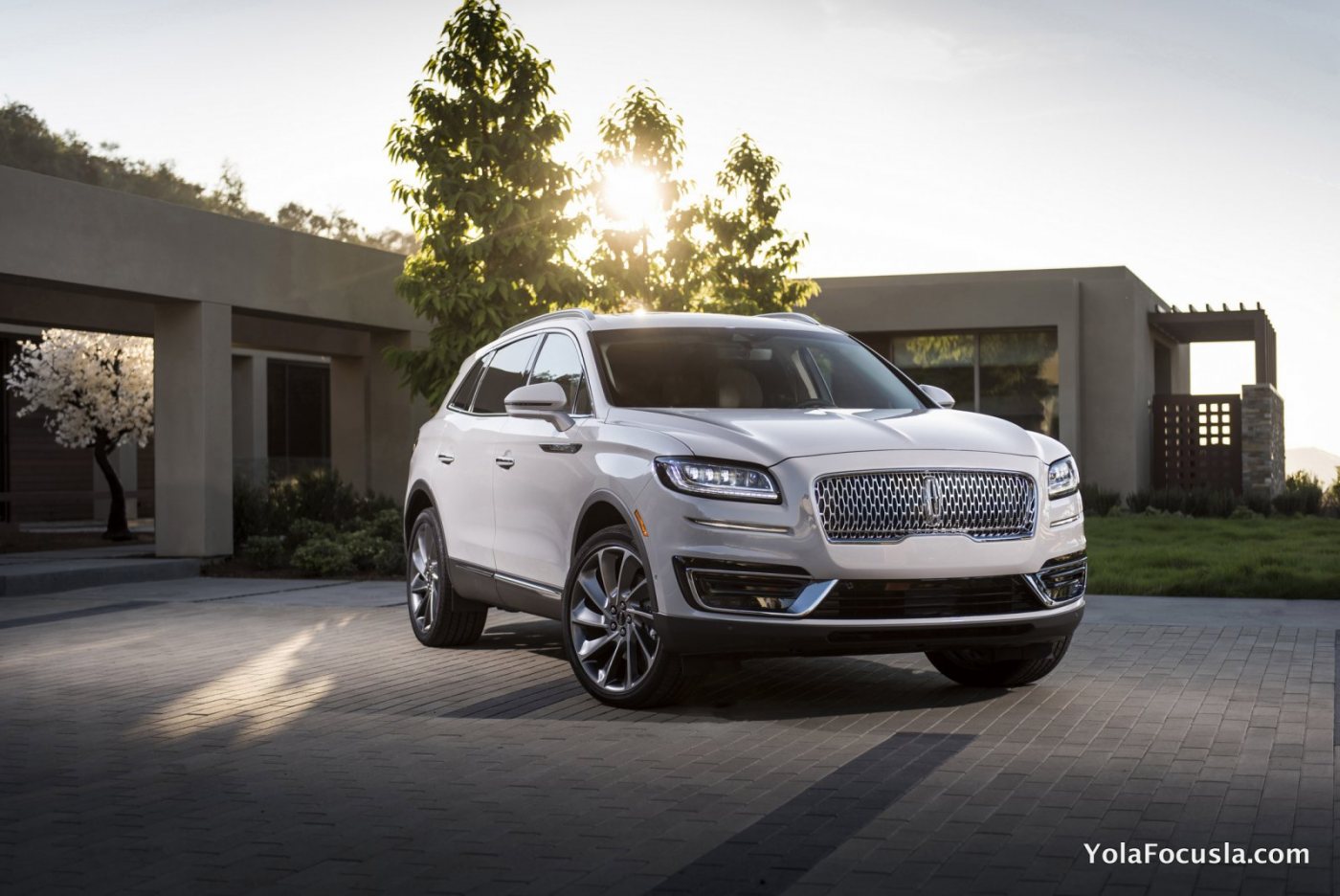
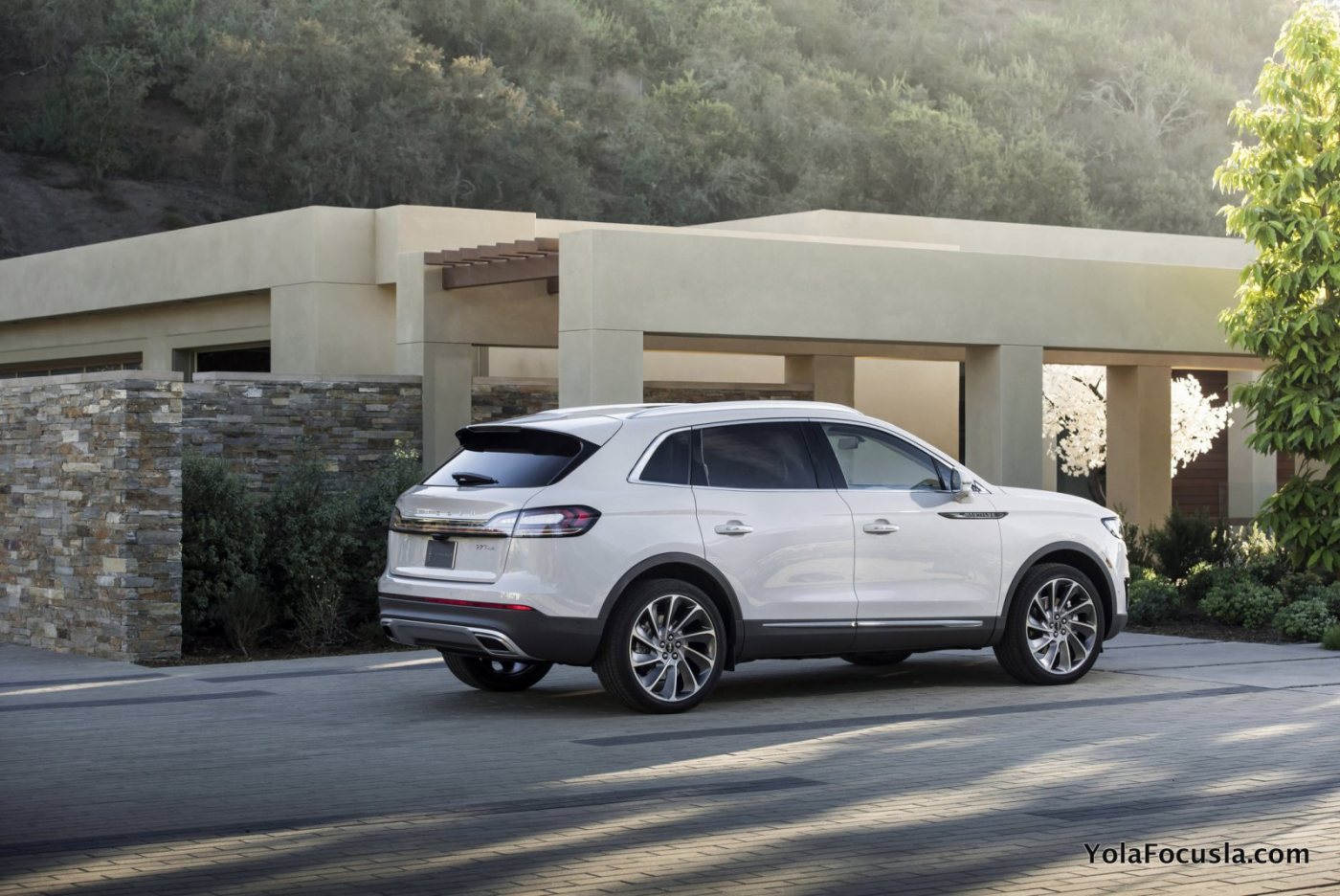
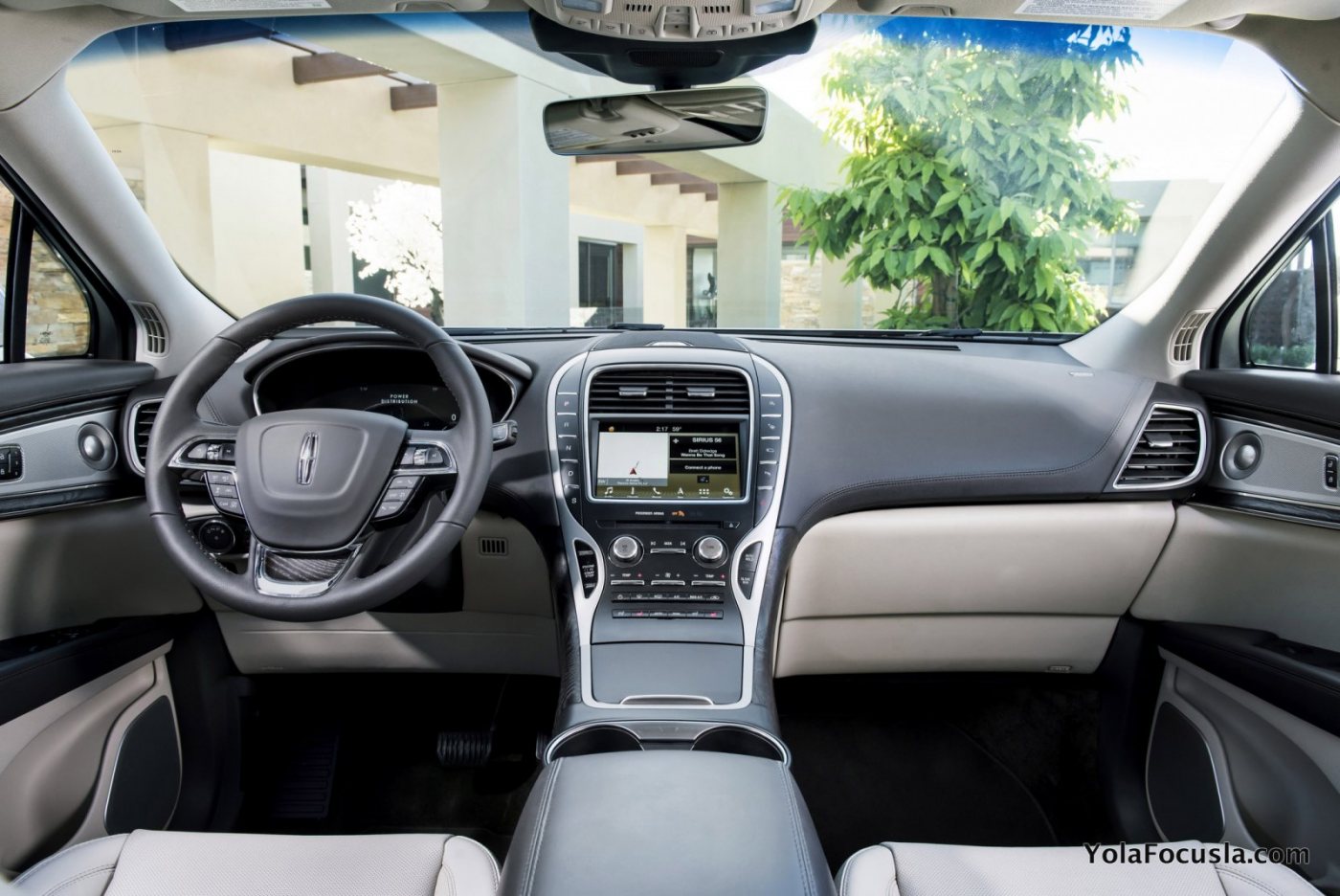
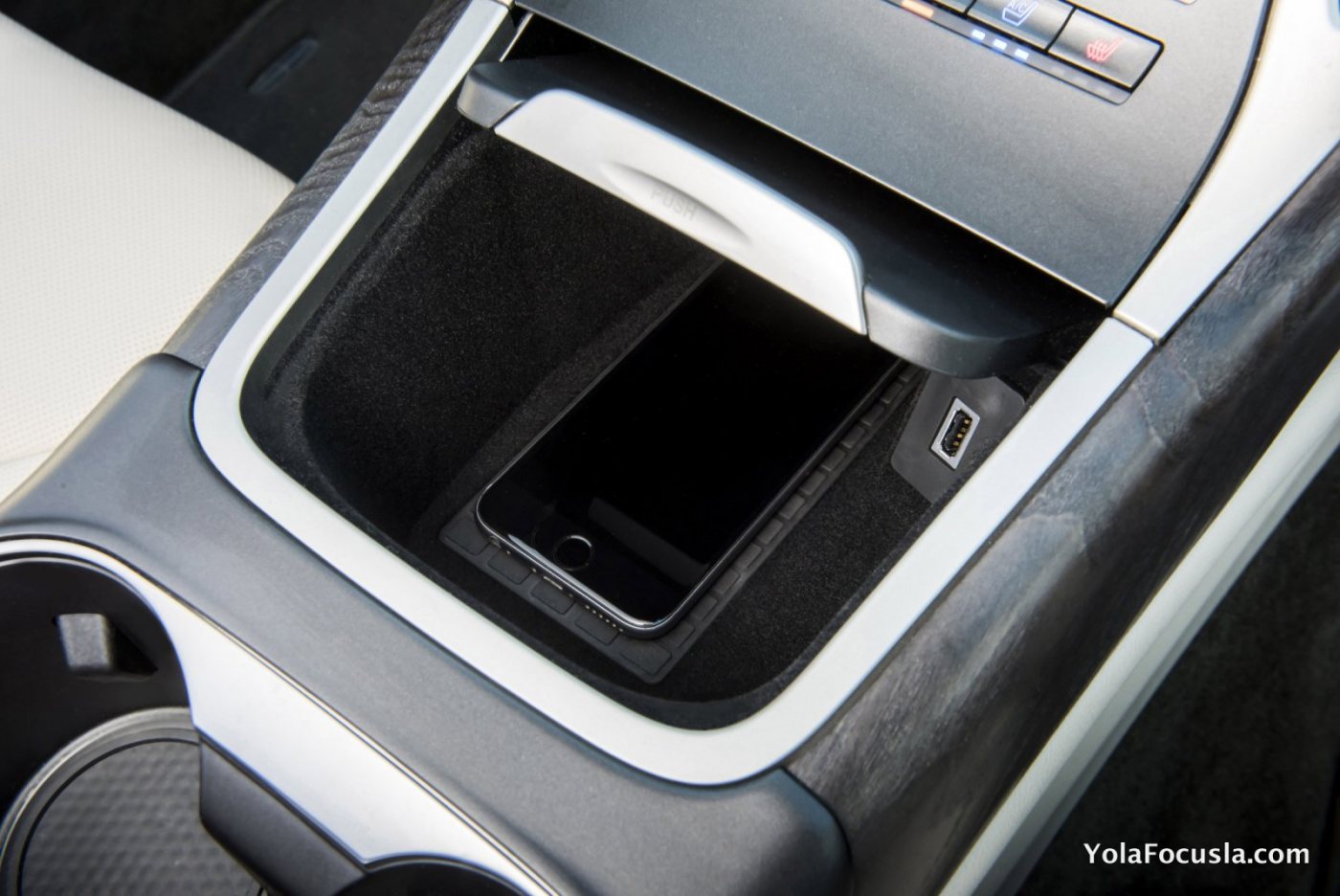
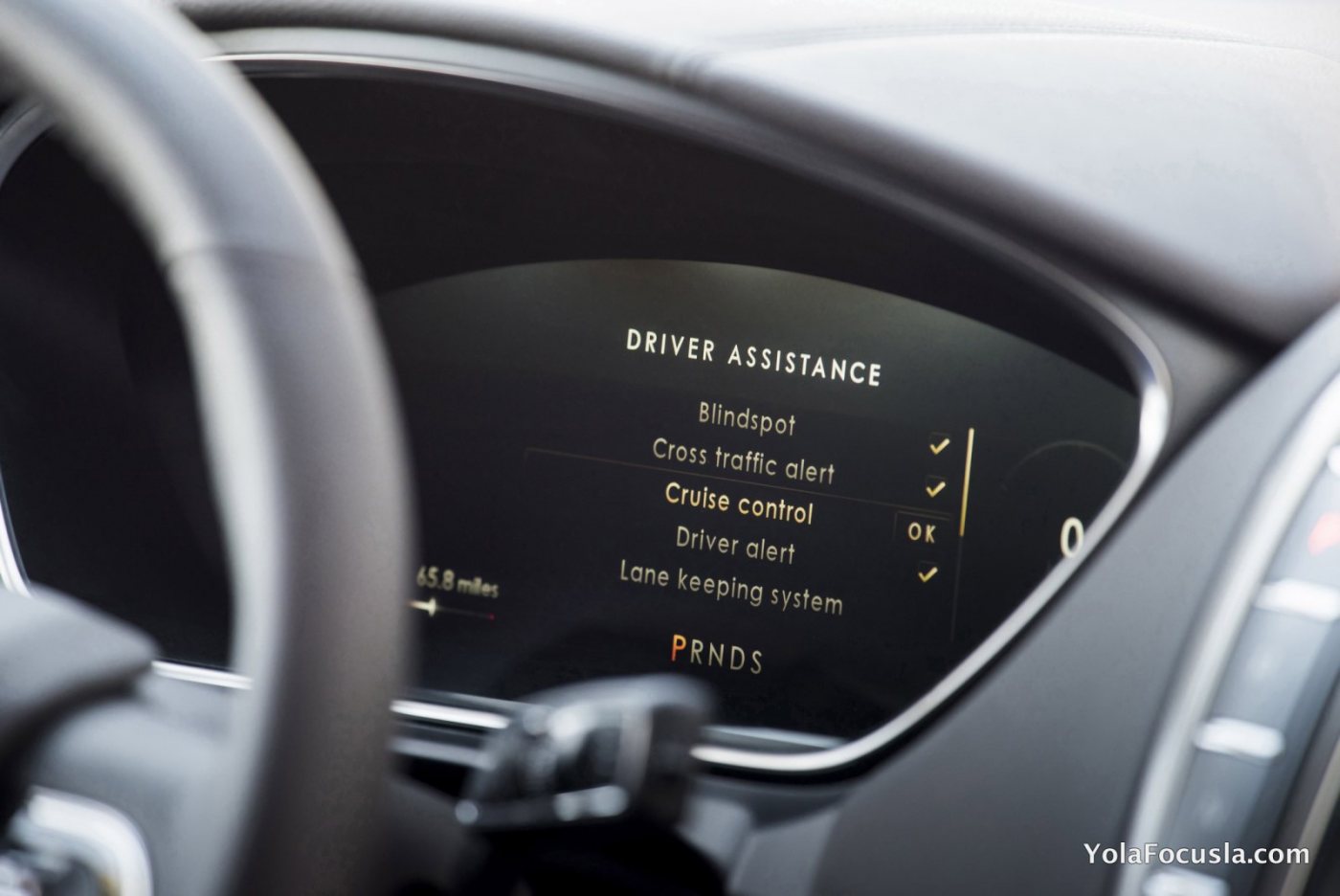
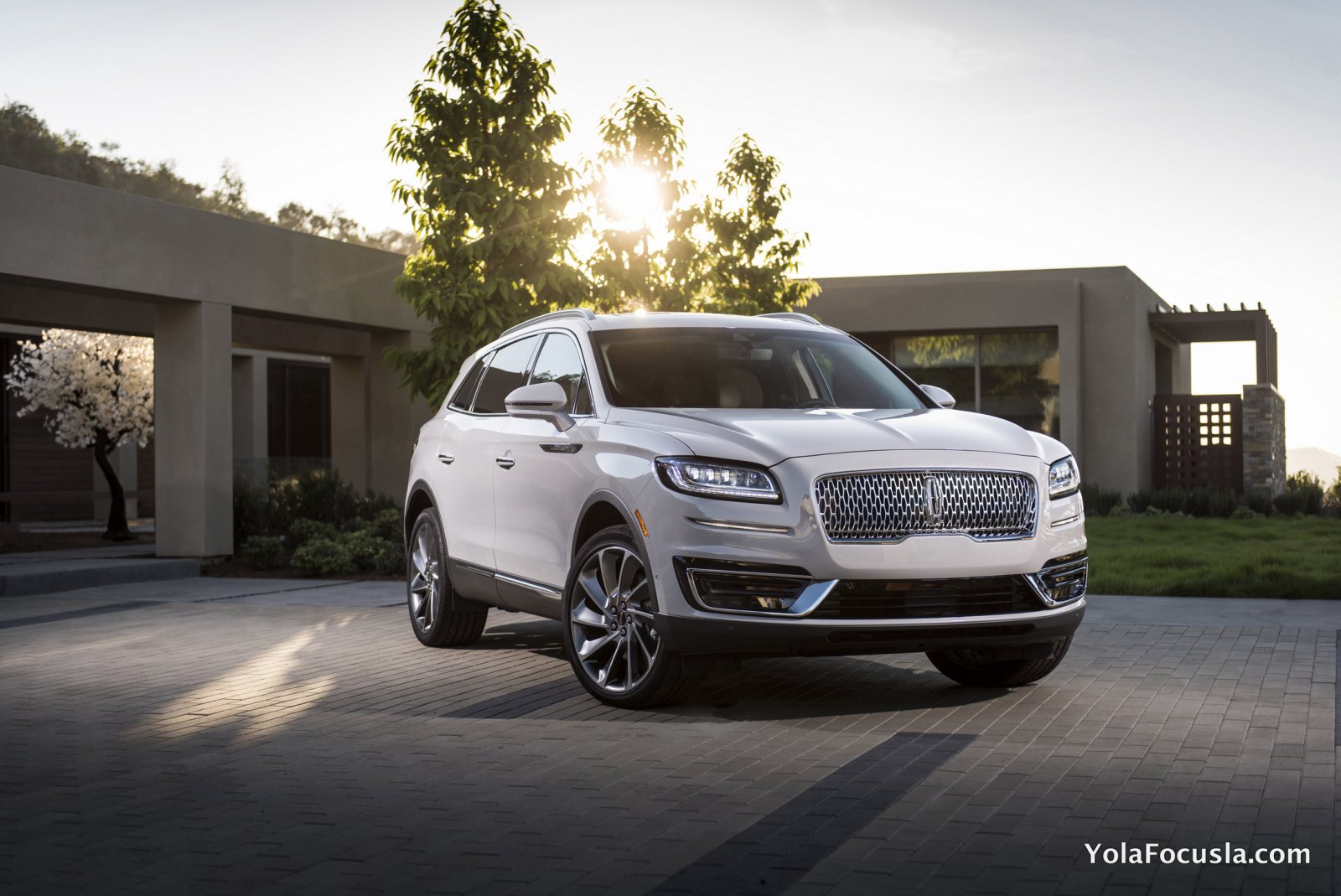
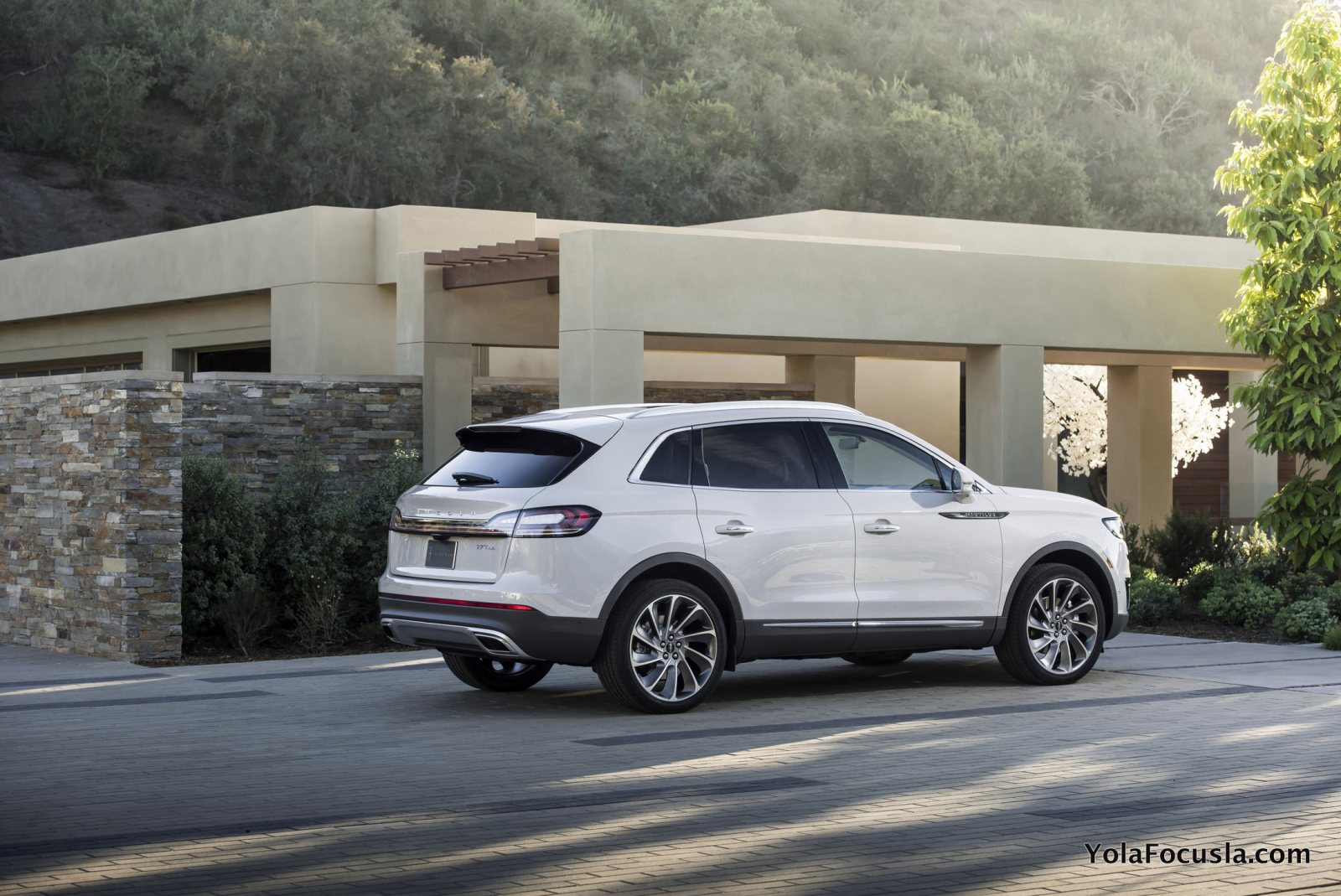
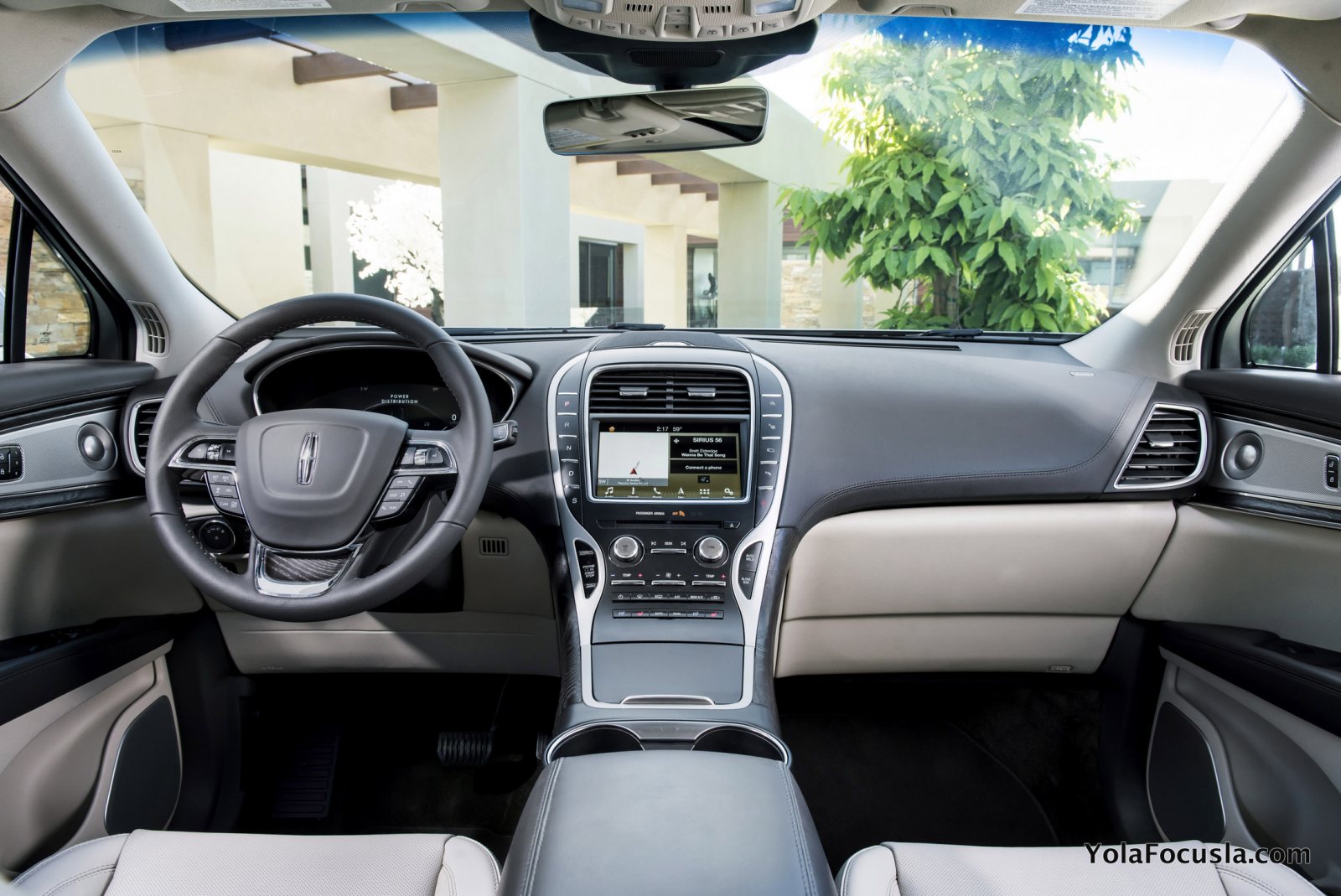
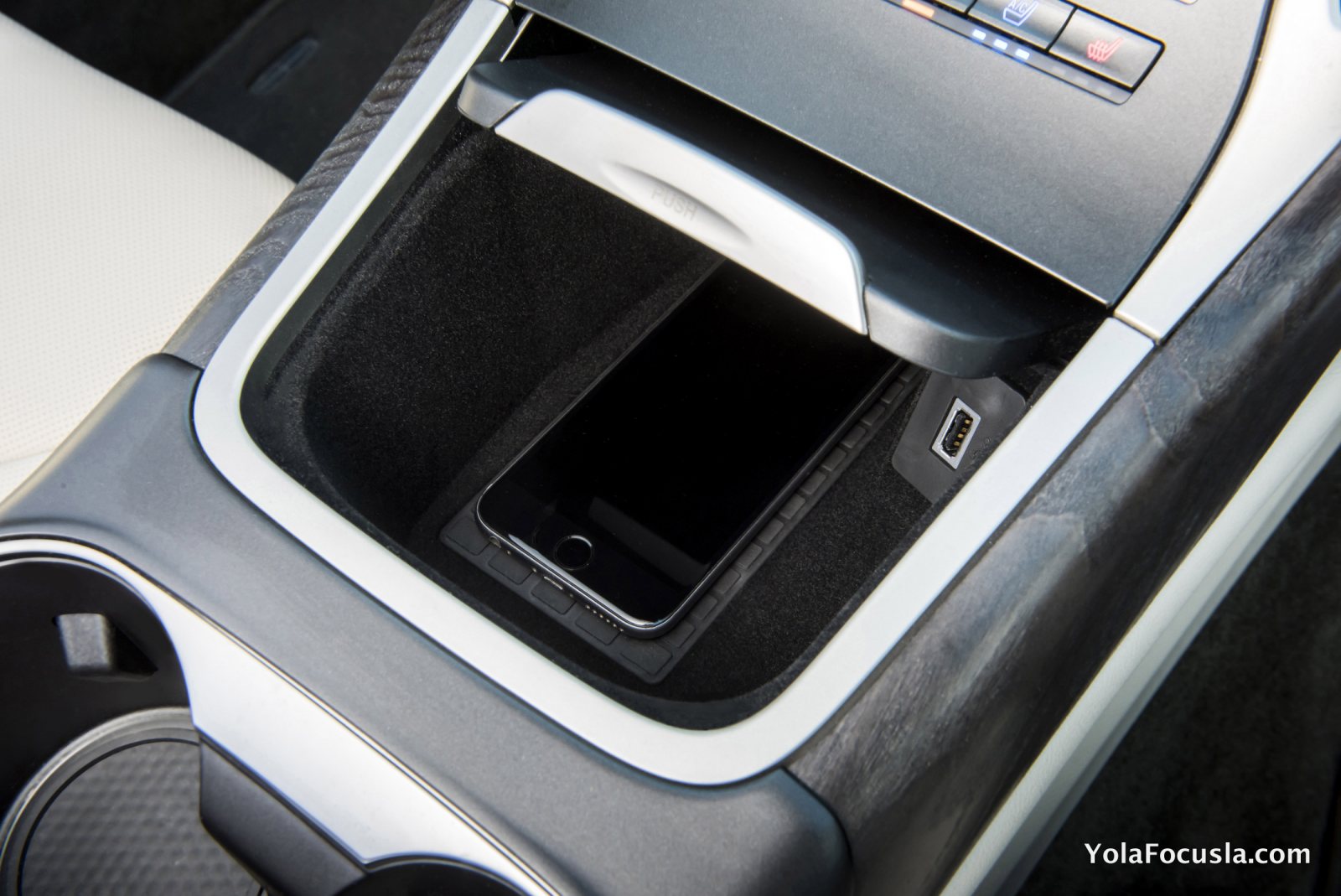
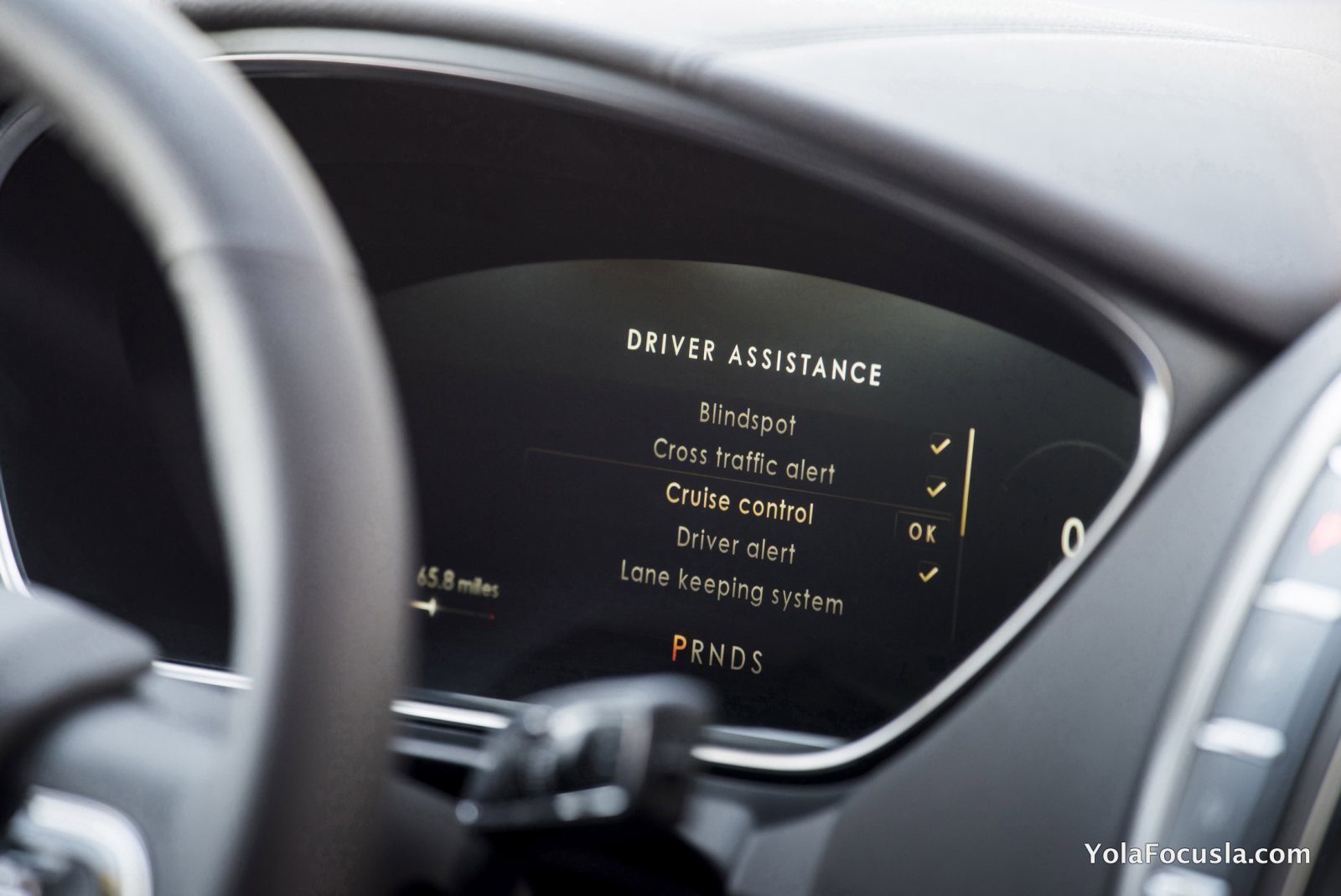
2 puanYeni 2019 Lincoln Nautilus Sürücü Yardım Teknolojileri ve Yüksek Performans Sunuyor. 2.7L Turbo - 335 ps / 8 ileri otomatik şanzıman 2.0L Turbo - 245 ps / 8 ileri otomatik şanzıman Dijital kadran, ustaca şeritte tutma, kablosuz şarj (hem de iPhone 6/6s'e ah Ford ah ) Fazlası: https://anasayfa.focusclubtr.com/yeni-2019-lincoln-nautilus-tanitildi-luks-edge/
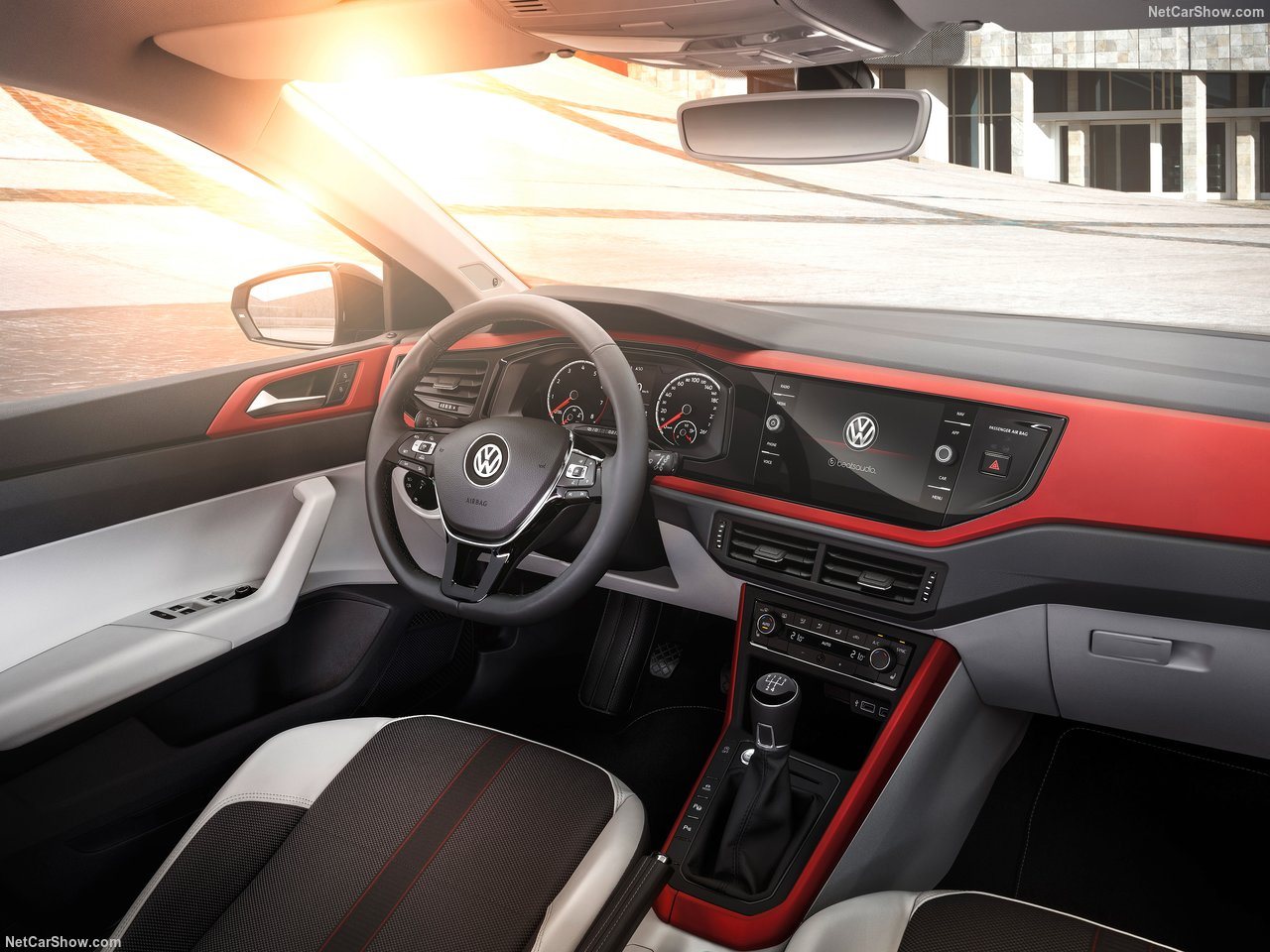
 1 puan1 puanHocam sirket araclari arasinda egea var. Hem 1.3 hem de 1.6 dizel olani cok defa uzun yolda kullandım. Kötü araba değil ama focus ile kiyaslamak çok abest olur benim kanımca. Yalıtımının iyi olduğunu da düşünmüyorum. Ama illa sıfır olsun içim rahat etsin, büyük bagaj ferah iç hacim diyor şasi, direksiyon, sürüş dinamikleri ve güvenlik ikinci planda diyorsanız tercih edin,fiyat fayda performansı fena degil.1 puan1 puan1 puan1 puanBu iş nereden toplandığı belli olmayan, kağıt üstünde, pardon ekran köşelerine çiziktirilmiş puanlarla da çözümlenmez. Fiat alırken de bakımda da ucuzdur. Ama kullanırken de öyle. Ucuz araba olduğunu hissedeceksiniz. Bana inanmayın gidin kendiniz deneyin, ya test aracı ya kiralık araç, artık nasıl yaparsanız. O zaman Fiat'ın ancak vasat, yani parası kadar olduğunu kendiniz de anlayacaksınız. Tabii beklentiler önemli. Sıfır tercihi varsa, maliyetler kritikse, sürüş farkları sizi rahatsız etmiyorsa neden olmasın? Deneyin görün. Ama benim için böyle bir soru sormaya bile değmez.1 puan1 puanEgea'nın tek üstün yanı motorudur. Onu da teknik değerlere bakarak ve daha yeni bir motor olduğu için söylerim. Diğer yandan C segmentinin en iyi sedanı focus kabul edersek, egea'ya sıra gelene kadar 4-5 araç daha vardır1 puan1 puan1 puan1 puan1 puanBunlarda bonus olsun... Bu sarkilari dinlerken sesli eslik etmeyi deneyin, gununuz renklensin. (ozellikle ikinciyi)1 puan1 puanYako bu konu 2 ye mi ayrılmalı. Ptc baya geniş yorumlu oldu.1 puan1 puan1 puanBknz: Her yere gidip geziyorum ama forum buluşmasına vaktim yok diyen adam1 puan1 puan@Ugur Ş. Bey turbo "lag", ya da dilimizdeki ifadesiyle turbo gecikmesi, motor rölanti devrinden yük devirlerine yükselirken turbonun devreye girmesine ve ekstra güç sağlamasına kadar geçen süredir. Eskilerde turboların etkili güç vermeye başlaması 3000 dd dolaylarında başlar, o devre kadar motor güçsüz hissedilir, sonra birden şahlanır giderdi. Aniden hızlı kaçmak istediğinizde düşük devirde yakalandığınızda gaza basınca istediğiniz tepkiyi hemen alamaz ve daha da sert basardınız, bu arada araba turbo devrine ulaşınca birden fırlar ve özellikle trafikte iseniz kontrol güçleşebilirdi. Şimdilerde turbo teknolojisi gelişti ve çoğu modelde 1500 dd civarında yeterli güç üretmeye başlıyor turbolu motor, bu da bahsettiğimiz gecikme fazının azalması/kısalması demek. Yine de rölanti devrinde debriyajı yumuşak bırakıp sonra ani hızlanmak istediğinizde çok kısa süreli bir gecikme ve sonra tepkime hissedebilirsiniz. Bunun için de özellikle dizellerde biraz daha fazla gaz vererek debriyajı bırakmak ve o dipteki devir bandını debriyaja yedirmek bir çözüm olabilir. Seçim konusuna gelirsek Benzinli atmosferik + Sessiz ve sarsıntısız çalışır + Üst devir bandında (4000-6000 dd) etkili ve akıcı güç üretir + Çabuk ısınır, kışın kalorifer kullanılan yerlerde bu iyi bir özellik + Çok soğuk bölgeler için: Yakıt donma riski yoktur. - Düşük devirlerde daha cansızdır, sık vites değiştirmek gerekir - Daha çok tüketir o Alırken ve ikinci elde ucuzdur Dizel turbo - Sesli ve özellikle soğukken hafif sarsıntılı çalışır - Üst devirlerde cansızdır (>4000 dd) - Zor ısınır, aşırı soğuklarda kaloriferi kullanma mümkün olmayabilir - Aşırı soğuklarda yakıt donabilir (ekstrem durum) + Düşük - orta devirlerde yüksek torku nedeniyle çok kaçar, ara hızlanmaları etkileyicidir + Belirgin az tüketir o Alırken ve ikinci elde pahalıdır Hangisini almalı? Bence her ikisinin iyi taraflarını bünyesinde toplayanı, yani turbo benzinliyi. Ama herkesin seçimi kendi beklentilerini karşılayacak yönde olmalı.1 puananahtarsız çalıştırma var çünkü bence anahtar sürekli sinyal yollamıyor, ama dinliyor. araba sürekli sinyal yolluyor ordamısın ordamısın diye anahtar burdayım abi derse, kolada dokunuluyorsa açıyor kapıları. (kola dokununca ordamısın diyo da olabilir tabi ama corolla yaklaşınca ışıkları yakıyor en azından onda sürekli diyor bence). Yoksa kumandaya pil dayanmaz.1 puanParça kodlarını toparlamak gerekirse; Etis.Ford'dan üretim tarihinizi kontrol ediniz ve buna göre parça temin ediniz Focus MK2 Tümü 1.6 TDCI 90/109 PS Tümü: 3M51 18K463-FD Focus MK3 1.6 TDCI 95 PS/115 PS 03/01/2011 - 16/08/2011 arası üretimli araçlar: 8V6N 18D612-CD 16/08/2011 - 04/10/2012 arası üretimli araçlar: 8V6N 18D612-BA 04/10/2012 - 21/07/2015 arası üretimli araçlar: 8V6N 18D612-CA Focus MK3 MCA 1.6/1.5 TDCI 95 PS/115 PS/120 PS Tümü: BV6N 18D612-CA (En azından 2017 ikinci çeyreğe kadar bu şekilde) Buradaki bilgiler ışığında sadece 2011 ve 2012 model yılı araçlar için direkt şu (parça numarası) diyemiyoruz, üretime bakmak zorundayız. Diğer model yılları için şunu (p.n.) alın diyebiliriz.1 puan2013 Focus 3 Titanium 1.6 Tdci aracıma taktırmak istiyorum. Ankara'da taktırabilecegim bir yer var mı arkadaşlar.1 puan1 puan1 puan1 puanBu kadar... Fiesta'nın çanına yine ot tıkadılar. Belirgin büyümüş. Daha uzun, daha geniş, daha alçak, +9 cm dingil mesafesi. İç mekanda genişleme, bagajda büyüme. Kokpit tasarımını ben de çok beğendim. Fiesta'daki gibi yapıştırma eğreti tablet görüntüsü ile kıyaslanınca entegrasyon böyle olur diyor insan. Sürüşünü görene kadar beş yıldız.
 1 puan1 puanArtık tercih size kalmış. Ya klima ya ses, birini tercih edeceksiniz... @Serdar yaman beni arayıp sıktın mı diye sordun ya, hala gülüyorum yav Bu arada benim yaptığım latifeyi anlamayıp ciddi ciddi sıkanlar olursa mesuliyet kabul etmem ona göre1 puanKırmadan dökmeden anahtarsız şekilde araca erişip çalıştırabiliyorlar. İki adet cihaz var biri arabanın yanında diğeri eve yakın tutuluyor, anahtardan gelen sinyali alıyorlar. Gerisini siz düşünün. Gitti Mercedes...0 puanThis leaderboard is set to Istanbul/GMT+03:00
















Önemli Bilgi
Bu siteyi kullanarak, forum Gizlilik Politikasını kabul etmiş olursunuz.
Account
Navigation
Araştır
Configure browser push notifications
Chrome (Android)
- Tap the lock icon next to the address bar.
- Tap Permissions → Notifications.
- Adjust your preference.
Chrome (Desktop)
- Click the padlock icon in the address bar.
- Select Site settings.
- Find Notifications and adjust your preference.
Safari (iOS 16.4+)
- Ensure the site is installed via Add to Home Screen.
- Open Settings App → Notifications.
- Find your app name and adjust your preference.
Safari (macOS)
- Go to Safari → Preferences.
- Click the Websites tab.
- Select Notifications in the sidebar.
- Find this website and adjust your preference.
Edge (Android)
- Tap the lock icon next to the address bar.
- Tap Permissions.
- Find Notifications and adjust your preference.
Edge (Desktop)
- Click the padlock icon in the address bar.
- Click Permissions for this site.
- Find Notifications and adjust your preference.
Firefox (Android)
- Go to Settings → Site permissions.
- Tap Notifications.
- Find this site in the list and adjust your preference.
Firefox (Desktop)
- Open Firefox Settings.
- Search for Notifications.
- Find this site in the list and adjust your preference.